SpareForge
A downloadable game for Windows
SpareForge
An original action RPG in the spirit of the classic online RPGs, playable solo or with up to 3 friends over LAN.
Remember grinding the next map with your friends, hunting that one rare card drop and holding your breath while the blacksmith refines your sword to +7? SpareForge brings that feeling into a fast, real-time action RPG you can play offline on your own PC. No servers, no subscriptions, no pay-to-win. Every sprite, song and sound effect was made for this game.
🇩🇪 Deutsche Beschreibung weiter unten.
Features
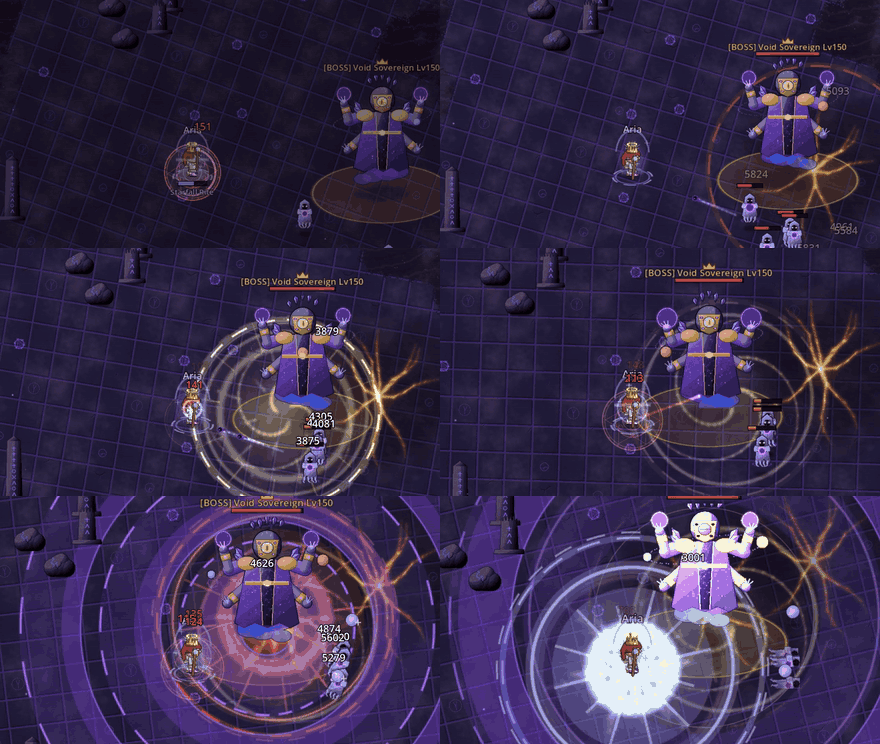
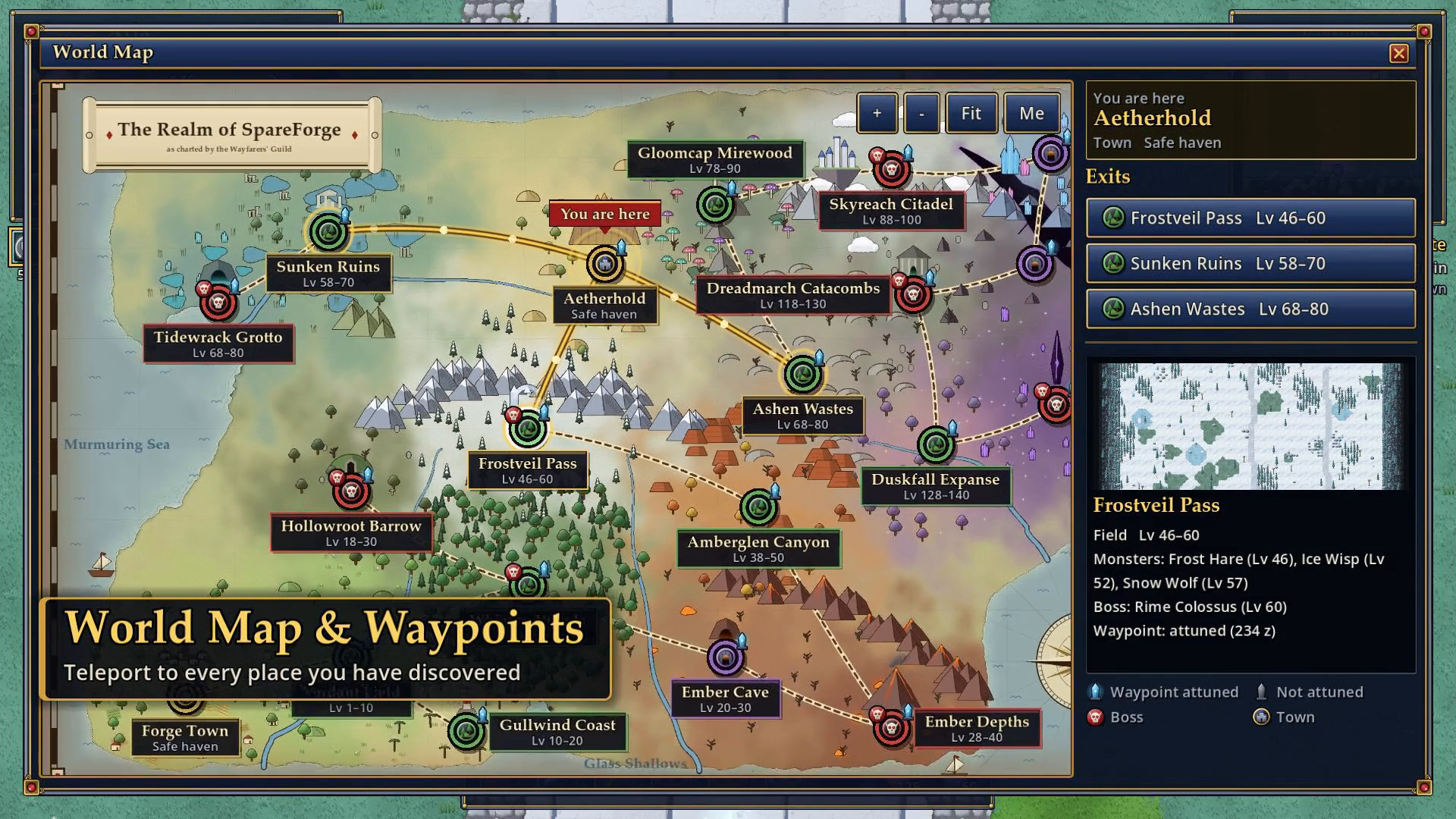
- 20 regions: two towns and 18 fields and dungeons, from the green Verdant Field to the Void Sanctum, covering levels 1 to 150
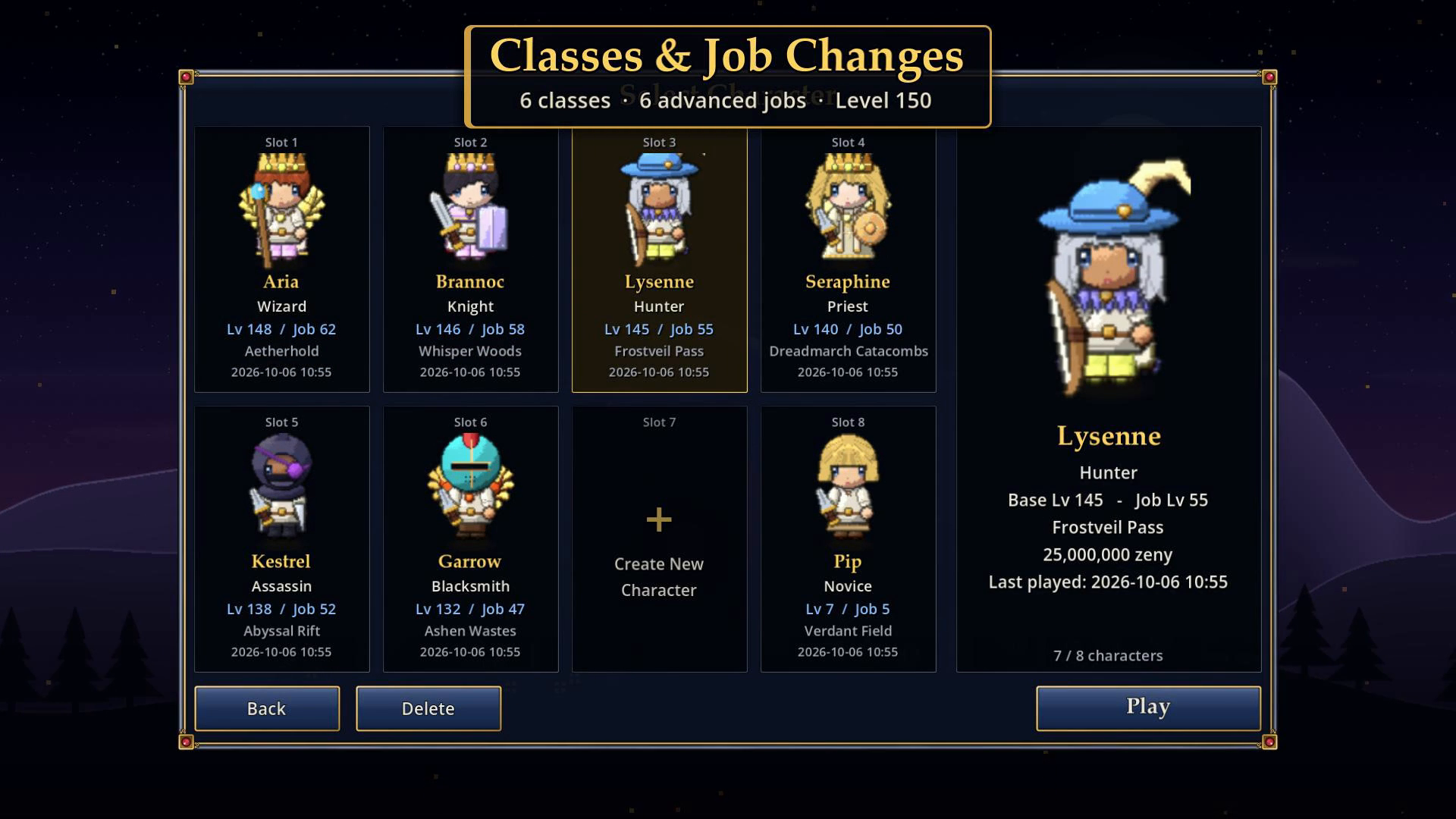
- 6 classes and 6 advanced jobs: start as a Novice, become a Swordsman, Mage, Archer, Acolyte, Merchant or Thief, then a Knight, Wizard, Hunter, Priest, Blacksmith or Assassin
- Base level up to 150, job level up to 70, six stats (STR, AGI, VIT, INT, DEX, LUK) with a stat guide for every job
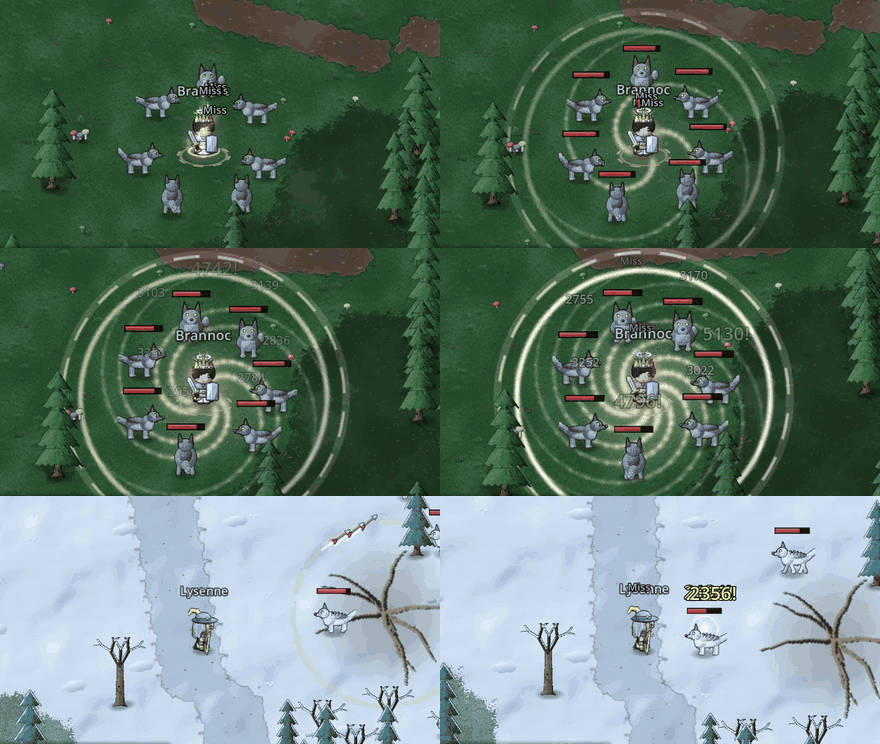
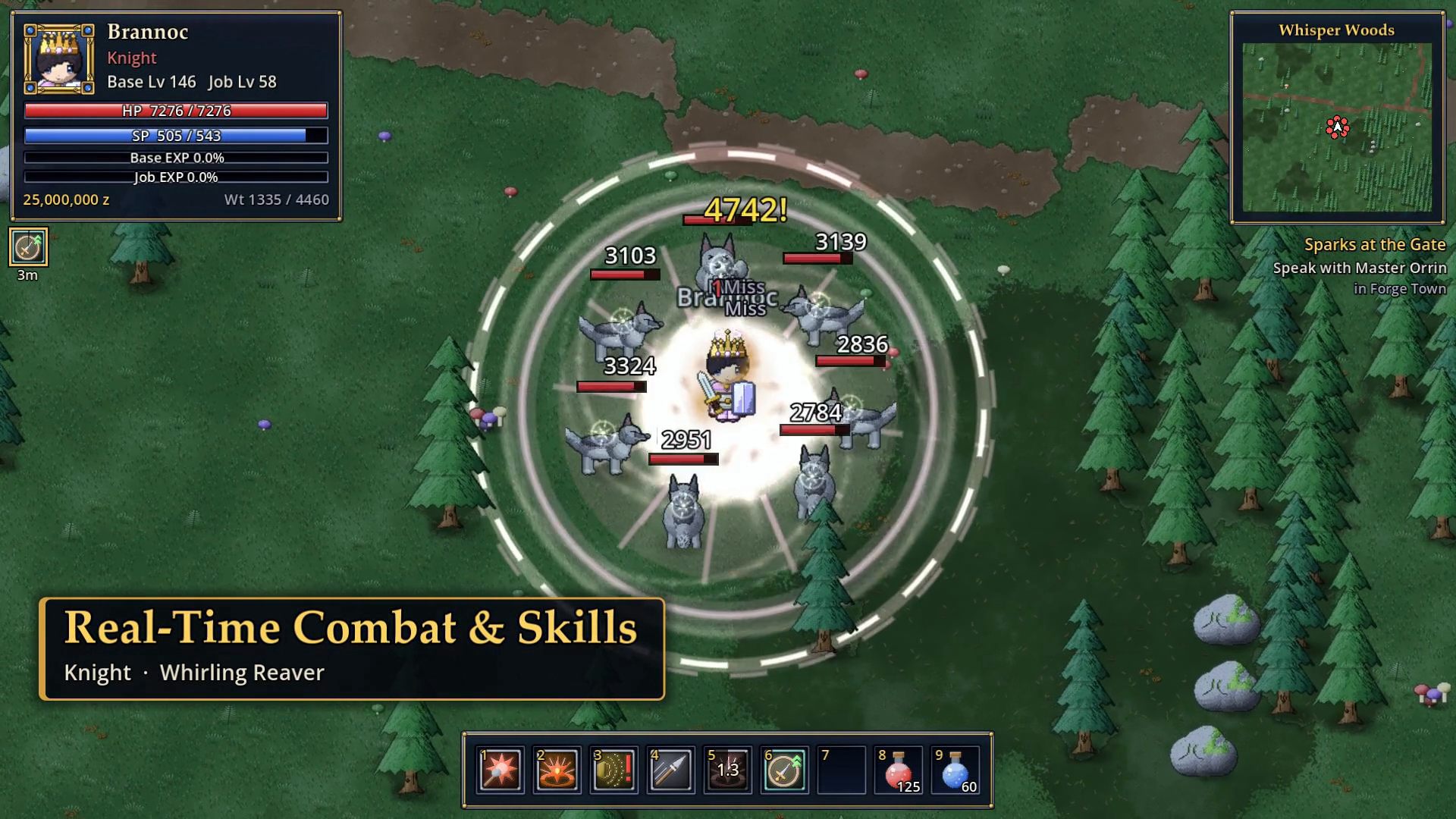
- Real-time combat with over 80 skills: area attacks, buffs, heals and auras on a 9-slot hotbar
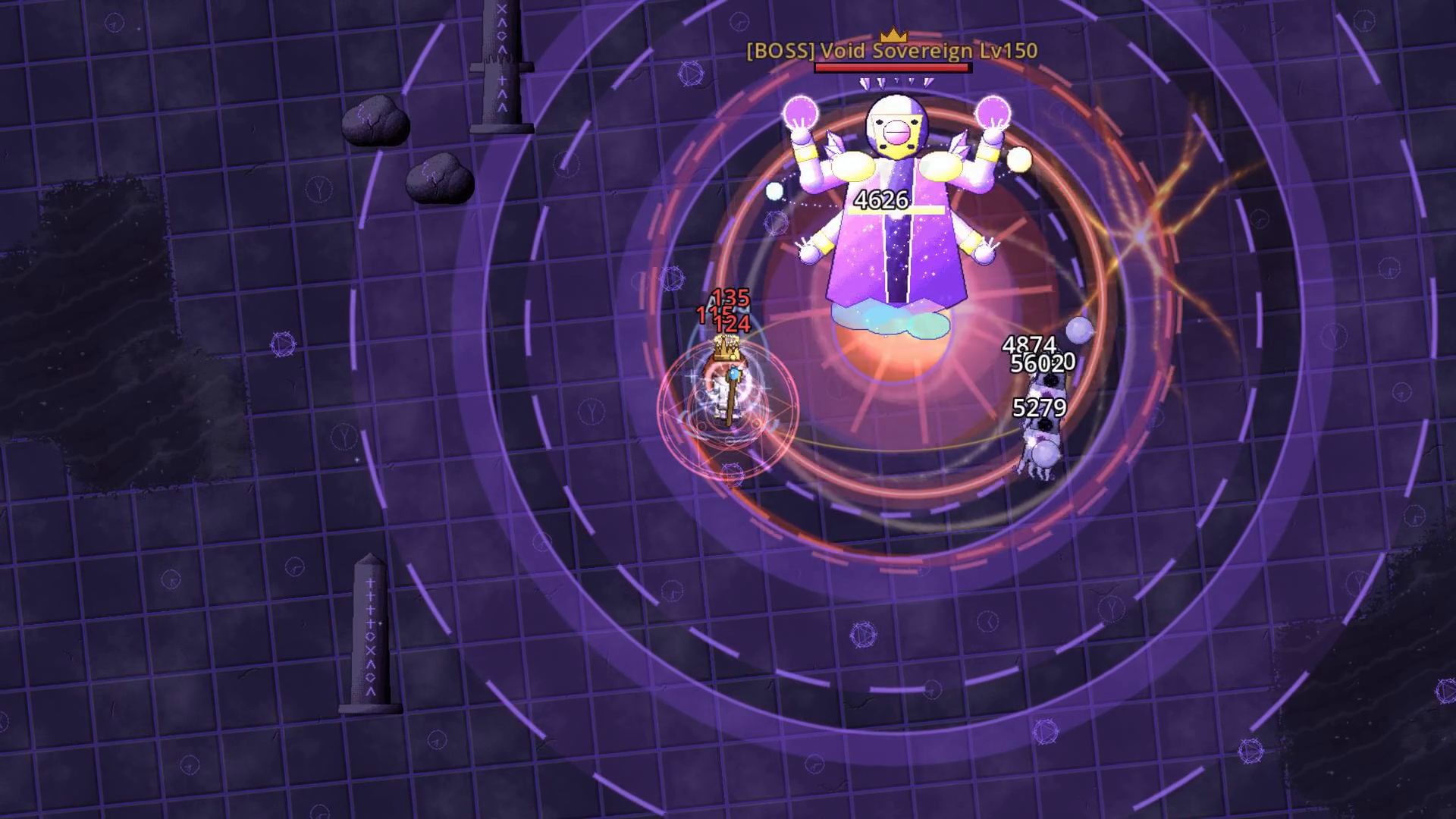
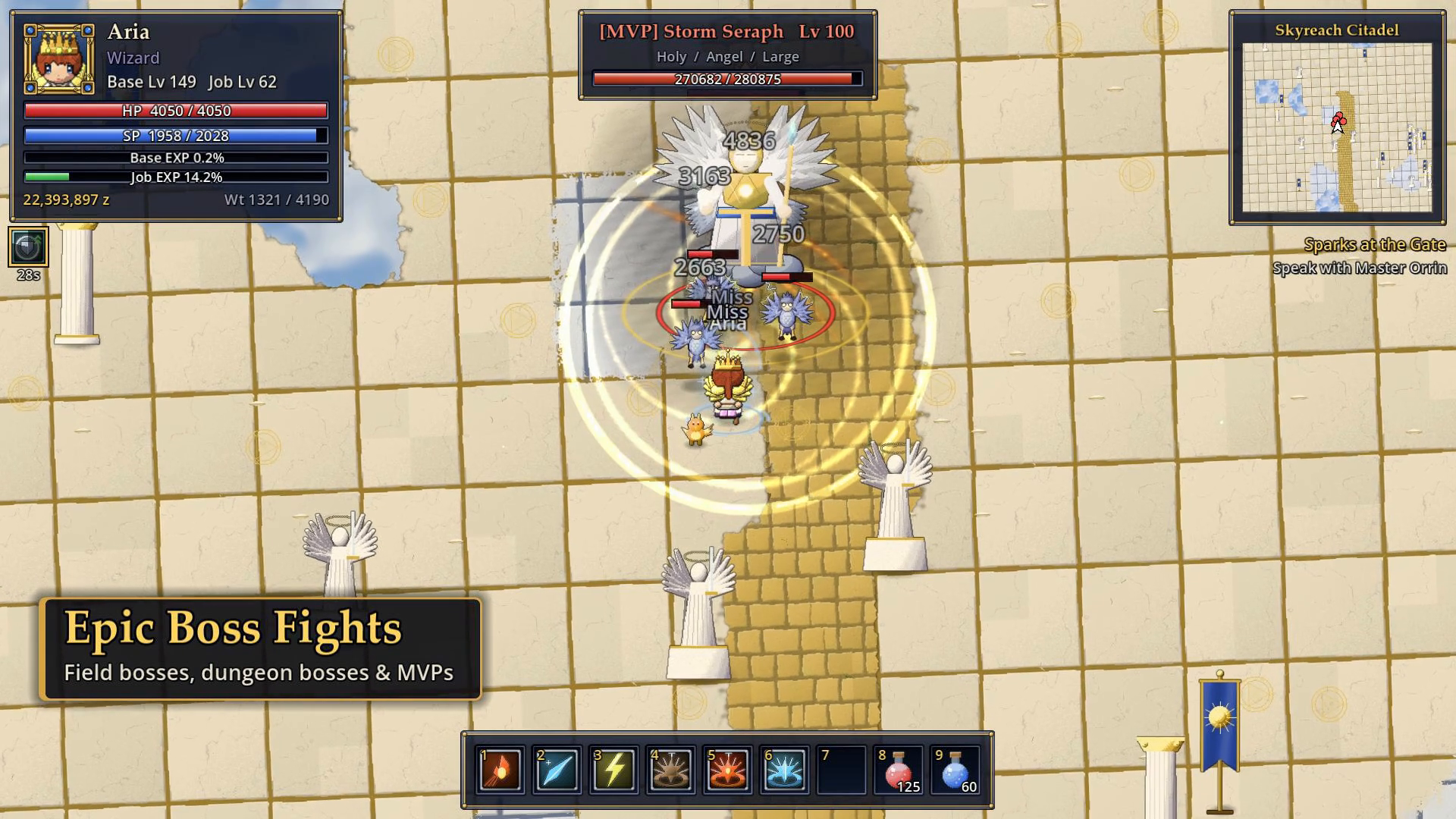
- 60 monster types, field bosses, dungeon bosses and MVPs
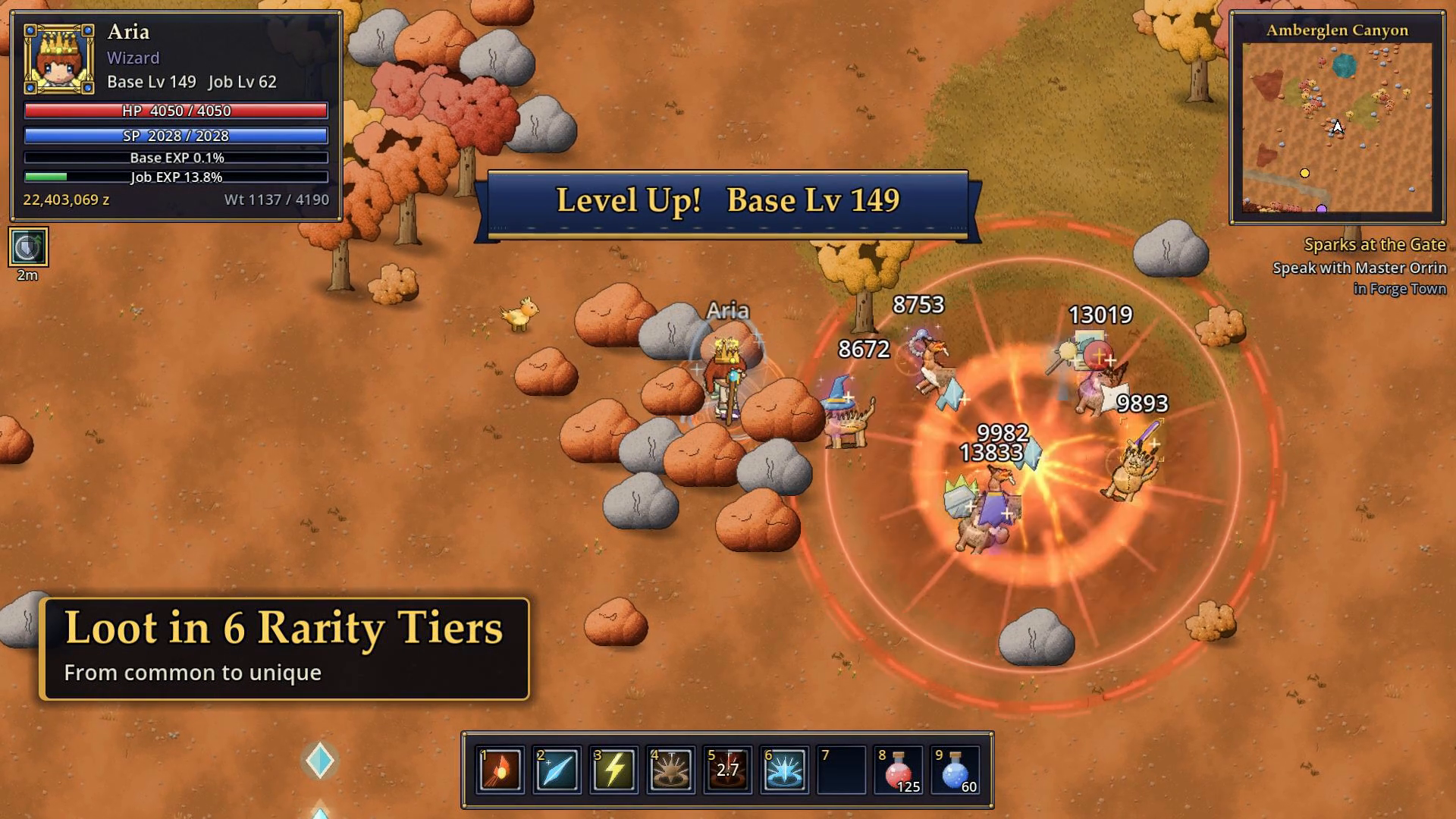
- Loot in 6 rarity tiers (Common, Uncommon, Rare, Epic, Legendary, Unique): over 1,400 items, cards for socketed gear, and equipment you can see on your character
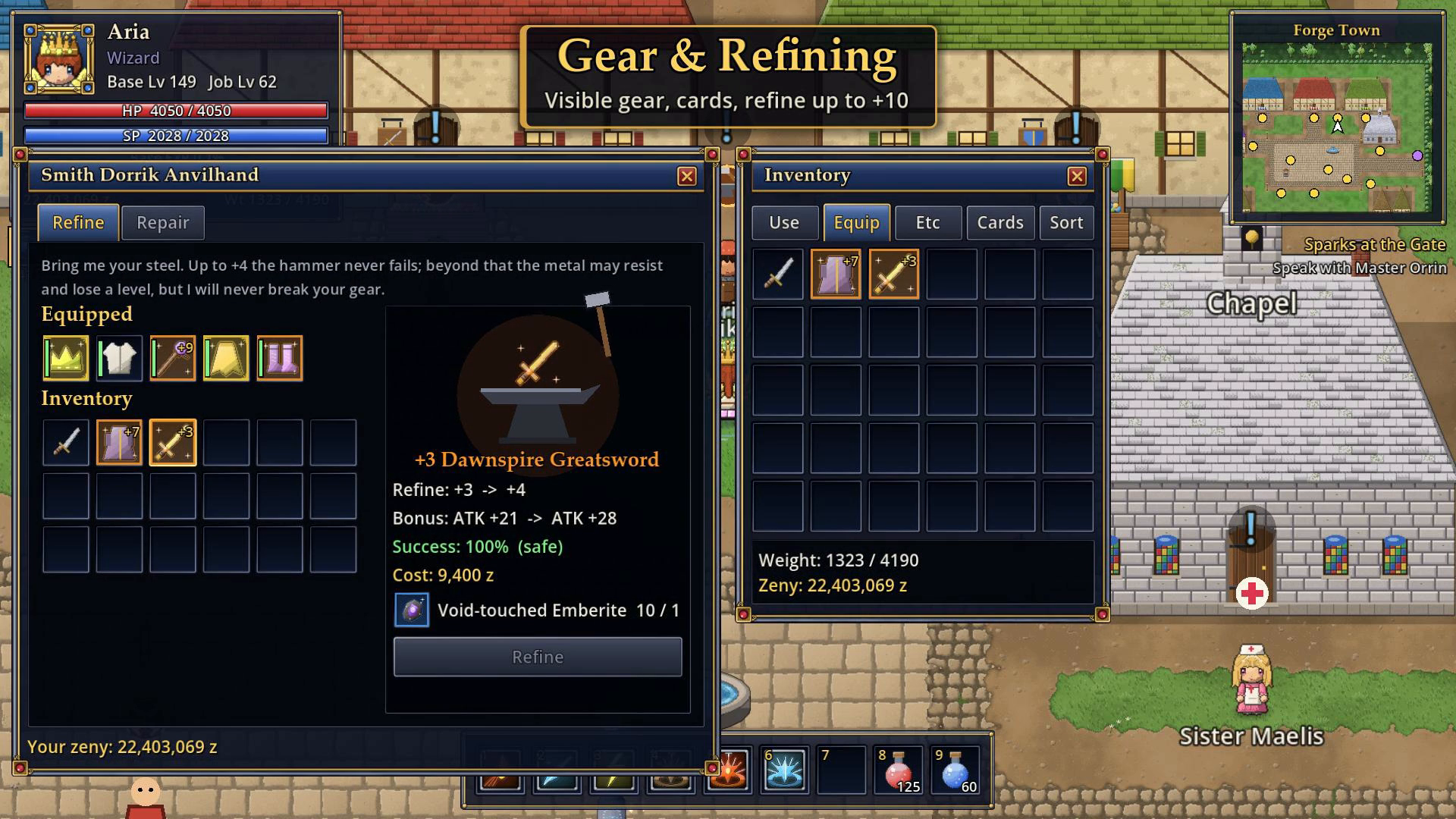
- Refining up to +10, plus gear durability and repairs at the blacksmith
- Pets and mounts: 8 pets that pick up loot for you and 6 mounts, from a pony to a gryphon
- A main story in 10 chapters across every region, plus side quests
- A hand-painted world map with waypoints for fast travel
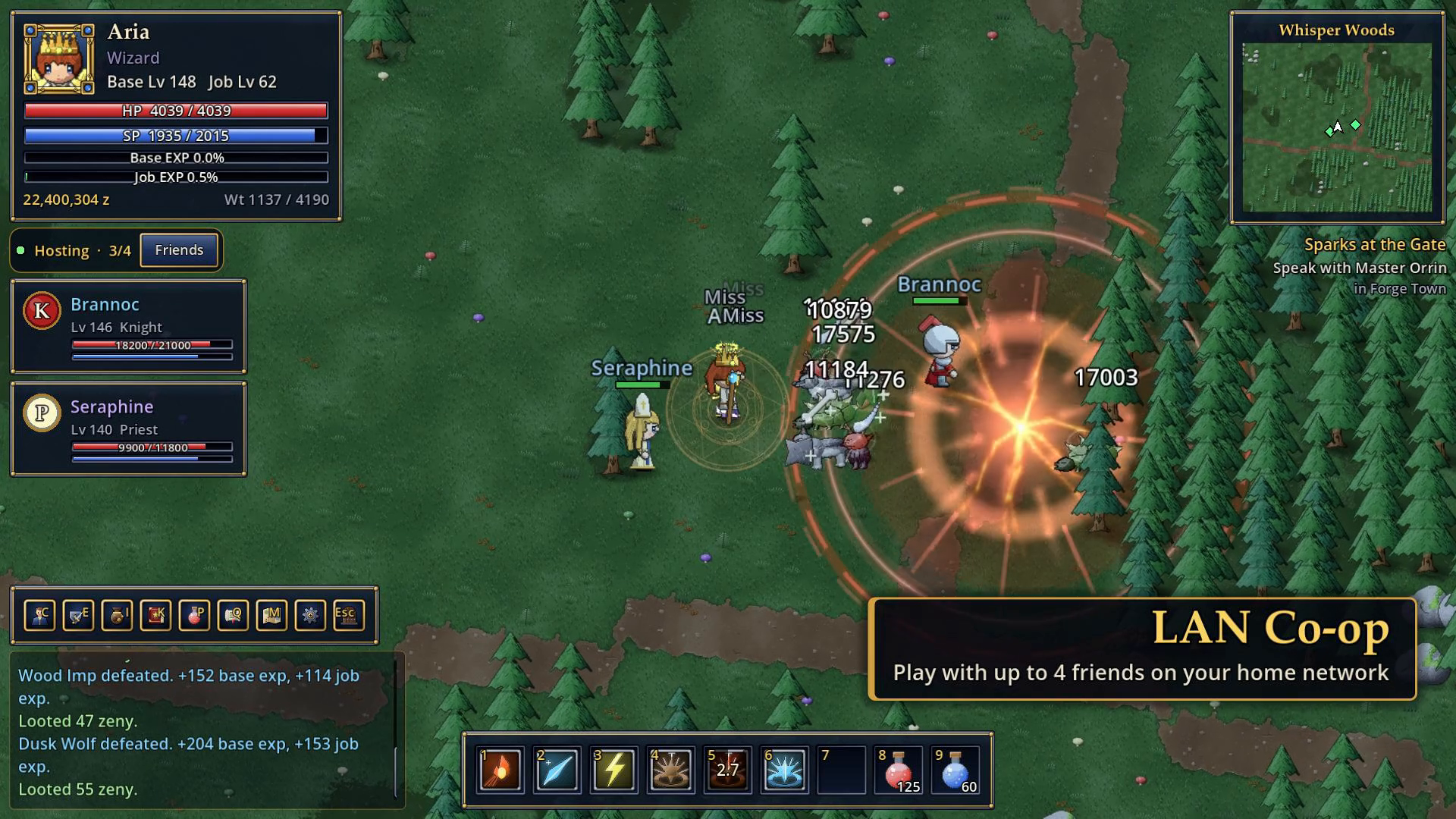
- LAN co-op for up to 4 players, with a party, shared EXP, chat, trading, friends, whispers and arena duels
- Local accounts with a password and 8 characters each, a shared storage, auto-potions and autosave
- Original art, music and sound, all generated by the project's own tools, with no third-party assets
⚠️ Alpha notice
SpareForge is in alpha. It is playable from level 1 to 150, but balance, content and visuals are still changing, and you will find bugs. Please report them, along with any feedback, on our Discord. Your characters normally carry over to every update. In rare cases during the alpha a save reset may be necessary. If that happens, we will announce it in advance.
System requirements
| OS | Windows 10 or 11, 64-bit |
|---|---|
| Processor | 64-bit dual-core, 2 GHz or faster |
| Memory | 4 GB RAM (8 GB recommended); the game itself uses about 0.5–1 GB |
| Graphics | OpenGL 3.3 or DirectX 11 (automatic fallback). Most GPUs from 2012 on work, including integrated Intel HD 4000 and newer |
| Storage | about 250 MB |
| Display | 1280×720 or higher (windowed, borderless or fullscreen) |
| Network | Not needed for single-player. Co-op needs a local network (LAN/Wi-Fi) |
| Input | Mouse and keyboard |
| Language | English (game). The installer is available in German and English |
Installation and updates
- itch.io app (recommended): install SpareForge from the app. It updates itself automatically and only downloads the changes.
- ZIP (portable): download the ZIP, unpack it into a folder of your choice (e.g.
Documents\Games\SpareForge) and startSpareForge.exe. To update, download the new ZIP and replace the old folder. - Installer: run
SpareForge_Setup.exe(it creates Start menu and desktop shortcuts and can add a firewall rule for LAN co-op). Then run the newestSpareForge_Update_x.y.z.exe. Updates are cumulative, so you only ever need the newest one.
Windows SmartScreen: the game is not code-signed yet, so Windows may show "Windows protected your PC". Click More info and then Run anyway. Only download SpareForge from this page or from spareforge.net.
Your saves are stored in %APPDATA%\Godot\app_userdata\SpareForge. Updates, reinstalls and uninstalling never touch them. Back up this folder if you want to be safe.
Controls
| Input | Action |
|---|---|
| Left click (hold to steer) / WASD | Move |
| Left click on a monster | Target it and attack automatically |
| Left click on a drop or NPC | Walk there and pick it up or talk |
| 1–9 | Hotbar (drag skills and items onto it) |
| Space / F / X | Pick up loot / talk to the nearest NPC / sit (faster regeneration) |
| I / E / C / K | Inventory / Equipment / Stats / Skills |
| Q / M / P | Quests / World map / Auto-potion |
| Enter / O | Chat / Friends & block list |
| Hold right mouse + drag, or ← / → | Rotate the camera |
| Mouse wheel / Home or middle mouse | Zoom / reset the camera |
| Esc | Close a window or open the menu (save, switch character, options, quit) |
LAN co-op (2–4 players)
- Everyone needs the same game version and must be on the same local network.
- The host clicks LAN Co-op → Host Game on the title screen and picks a character.
- The others click LAN Co-op, click Join next to the game in the list (it is found automatically) or use Direct IP with the host's IP address (run
ipconfigon the host and use its IPv4 address). - Everyone plays one of their own characters. Progress and items are saved on each player's own PC.
Firewall: when Windows asks, allow SpareForge on private networks (or tick the firewall option in the installer). Your network must be set to "Private". The game uses UDP ports 24565 (game) and 24566 (discovery). Playing over the internet is not supported yet.
FAQ
Is it free? Yes, during the alpha. If you would like to support development, you can leave an optional tip.
Is this an online MMO? No. SpareForge is an offline action RPG inspired by classic online RPGs, with optional LAN co-op. There are no servers and no online account, and nothing can be bought in the game.
Mac, Linux or Steam Deck? Windows only for now.
Gamepad? Not yet. The game is played with mouse and keyboard.
Where do I report bugs? On Discord. A screenshot and a few words about what you were doing help a lot.
How was it made? With the Godot Engine. Code, graphics, music and sound were created with AI assistance. All art and audio comes from the project's own generator tools, not from third-party asset packs.
Links
🌐 spareforge.net · 💬 Discord ·  Instagram ·
  TikTok ·
  Youtube
Credits
SpareForge by [SpareForge]. Game design, direction and testing. Code, generated art, music and sound were created with AI assistance (Claude by Anthropic). Made with the Godot Engine 4.7 (MIT license, © Juan Linietsky, Ariel Manzur and contributors). Installer made with Inno Setup.
SpareForge (Deutsch)
Ein originales Action-RPG im Geist der klassischen Online-Rollenspiele, allein oder mit bis zu 3 Freunden im LAN.
Erinnerst du dich? Mit Freunden die nächste Map grinden, auf den einen seltenen Karten-Drop hoffen und beim Verfeinern auf +7 den Atem anhalten. SpareForge bringt dieses Gefühl in ein schnelles Echtzeit-Action-RPG, das du offline auf deinem eigenen PC spielst. Keine Server, kein Abo, kein Pay-to-win. Jede Grafik, jeder Song und jeder Soundeffekt ist eigens für dieses Spiel entstanden.
Features
- 20 Gebiete: zwei Städte und 18 Felder und Dungeons, vom grünen Verdant Field bis zum Void Sanctum, für Level 1 bis 150
- 6 Klassen und 6 Meisterberufe: als Novice starten, Swordsman, Mage, Archer, Acolyte, Merchant oder Thief werden, danach Knight, Wizard, Hunter, Priest, Blacksmith oder Assassin
- Base-Level bis 150, Job-Level bis 70, sechs Attribute (STR, AGI, VIT, INT, DEX, LUK) mit einem Stat-Guide für jeden Job
- Echtzeit-Kampf mit über 80 Skills: Flächenangriffe, Buffs, Heilung und Auren auf einer Hotbar mit 9 Plätzen
- 60 Monsterarten, Feld-Bosse, Dungeon-Bosse und MVPs
- Beute in 6 Seltenheitsstufen (Common, Uncommon, Rare, Epic, Legendary, Unique): über 1.400 Items, Karten für gesockelte Ausrüstung und Ausrüstung, die man an der Figur sieht
- Verfeinern bis +10, dazu Haltbarkeit und Reparatur beim Schmied
- Begleiter und Reittiere: 8 Pets, die Beute für dich einsammeln, und 6 Reittiere vom Pony bis zum Greifen
- Eine Hauptgeschichte in 10 Kapiteln über alle Gebiete, dazu Nebenquests
- Eine handgemalte Weltkarte mit Wegpunkten zum Teleportieren
- LAN-Koop für bis zu 4 Spieler mit Party, geteilter EXP, Chat, Handel, Freunden, Flüstern und Arena-Duellen
- Lokale Konten mit Passwort und je 8 Charakteren, ein gemeinsames Lager, Auto-Tränke und automatisches Speichern
- Eigene Grafik, Musik und Sounds, alles von den projekteigenen Tools erzeugt, ohne fremde Assets
⚠️ Alpha-Hinweis
SpareForge ist in der Alpha. Es ist von Level 1 bis 150 spielbar, aber Balance, Inhalte und Grafik ändern sich noch, und du wirst Bugs finden. Melde sie bitte zusammen mit deinem Feedback auf unserem Discord. Deine Charaktere bleiben bei Updates normalerweise erhalten. In seltenen Fällen kann während der Alpha ein Zurücksetzen der Spielstände nötig sein. Das kündigen wir dann vorher an.
Systemanforderungen
| Betriebssystem | Windows 10 oder 11, 64-Bit |
|---|---|
| Prozessor | 64-Bit-Dual-Core, ab 2 GHz |
| Arbeitsspeicher | 4 GB RAM (8 GB empfohlen); das Spiel selbst belegt etwa 0,5–1 GB |
| Grafik | OpenGL 3.3 oder DirectX 11 (automatischer Fallback). Die meisten Grafikkarten ab 2012 funktionieren, auch integrierte Intel HD 4000 und neuer |
| Speicherplatz | etwa 250 MB |
| Bildschirm | 1280×720 oder mehr (Fenster, randlos oder Vollbild) |
| Netzwerk | Für Einzelspieler nicht nötig. Koop braucht ein lokales Netzwerk (LAN/WLAN) |
| Eingabe | Maus und Tastatur |
| Sprache | Englisch (Spiel). Den Installer gibt es auf Deutsch und Englisch |
Installation und Updates
- itch.io-App (empfohlen): SpareForge über die App installieren. Sie aktualisiert das Spiel automatisch und lädt nur die Änderungen.
- ZIP (portabel): ZIP herunterladen, in einen beliebigen Ordner entpacken (z. B.
Dokumente\Spiele\SpareForge) undSpareForge.exestarten. Für ein Update die neue ZIP laden und den alten Ordner ersetzen. - Installer:
SpareForge_Setup.exeausführen (legt Startmenü- und Desktop-Verknüpfungen an und kann eine Firewall-Regel für den LAN-Koop eintragen). Danach das neuesteSpareForge_Update_x.y.z.exeausführen. Updates sind kumulativ, du brauchst also immer nur das neueste.
Windows SmartScreen: Das Spiel ist noch nicht code-signiert, deshalb zeigt Windows eventuell „Der Computer wurde durch Windows geschützt“. Klicke auf Weitere Informationen und dann auf Trotzdem ausführen. Lade SpareForge nur von dieser Seite oder von spareforge.net herunter.
Deine Spielstände liegen in %APPDATA%\Godot\app_userdata\SpareForge. Updates, Neuinstallation und Deinstallation verändern sie nie. Sichere diesen Ordner, wenn du auf Nummer sicher gehen willst.
Steuerung
| Eingabe | Aktion |
|---|---|
| Linksklick (gedrückt halten zum Lenken) / WASD | Laufen |
| Linksklick auf ein Monster | Anvisieren und automatisch angreifen |
| Linksklick auf Beute oder NPC | Hinlaufen und aufheben bzw. ansprechen |
| 1–9 | Hotbar (Skills und Items darauf ziehen) |
| Leertaste / F / X | Beute aufheben / nächsten NPC ansprechen / Sitzen (schnellere Regeneration) |
| I / E / C / K | Inventar / Ausrüstung / Werte / Skills |
| Q / M / P | Quests / Weltkarte / Auto-Trank |
| Enter / O | Chat / Freundes- & Blockliste |
| Rechte Maustaste halten und ziehen, oder ← / → | Kamera drehen |
| Mausrad / Pos1 oder mittlere Maustaste | Zoom / Kamera zurücksetzen |
| Esc | Fenster schließen oder Menü öffnen (Speichern, Charakter wechseln, Optionen, Beenden) |
LAN-Koop (2–4 Spieler)
- Alle brauchen dieselbe Spielversion und müssen im selben lokalen Netzwerk sein.
- Der Host klickt im Titelbildschirm auf LAN Co-op → Host Game und wählt einen Charakter.
- Die anderen klicken auf LAN Co-op und klicken in der Liste neben dem Spiel auf Join (es wird automatisch gefunden) oder nutzen Direct IP mit der IP-Adresse des Hosts (auf dem Host
ipconfigausführen und die IPv4-Adresse nehmen). - Jeder spielt einen seiner eigenen Charaktere. Fortschritt und Items werden auf dem PC des jeweiligen Spielers gespeichert.
Firewall: Wenn Windows fragt, erlaube SpareForge in privaten Netzwerken (oder setze im Installer den Haken für die Firewall). Dein Netzwerk muss auf „Privat“ stehen. Das Spiel nutzt die UDP-Ports 24565 (Spiel) und 24566 (Suche). Spielen über das Internet wird noch nicht unterstützt.
FAQ
Ist das Spiel kostenlos? Ja, während der Alpha. Wenn du die Entwicklung unterstützen möchtest, kannst du freiwillig etwas geben.
Ist das ein Online-MMO? Nein. SpareForge ist ein Offline-Action-RPG, inspiriert von klassischen Online-RPGs, mit optionalem LAN-Koop. Es gibt keine Server und kein Online-Konto, und im Spiel kann man nichts kaufen.
Mac, Linux oder Steam Deck? Vorerst nur Windows.
Gamepad? Noch nicht. Gespielt wird mit Maus und Tastatur.
Wo melde ich Bugs? Auf Discord. Ein Screenshot und ein paar Worte dazu, was du gerade gemacht hast, helfen sehr.
Wie wurde das Spiel gemacht? Mit der Godot Engine. Code, Grafik, Musik und Sounds sind mit KI-Unterstützung entstanden. Alle Grafiken und Audiodateien stammen aus den projekteigenen Generator-Tools, nicht aus fremden Asset-Paketen.
Links
🌐 spareforge.net · 💬 Discord · Instagram · TikTok · Youtube
Credits
SpareForge von [SpareForge]. Spieldesign, Leitung und Tests. Code, generierte Grafik, Musik und Sounds sind mit KI-Unterstützung entstanden (Claude von Anthropic). Erstellt mit der Godot Engine 4.7 (MIT-Lizenz, © Juan Linietsky, Ariel Manzur und Mitwirkende). Installer erstellt mit Inno Setup.
Download
This game is currently unavailable
Development log
Leave a comment
Log in with itch.io to leave a comment.